How do I zoom in or out
Zooming In or Out in Easil
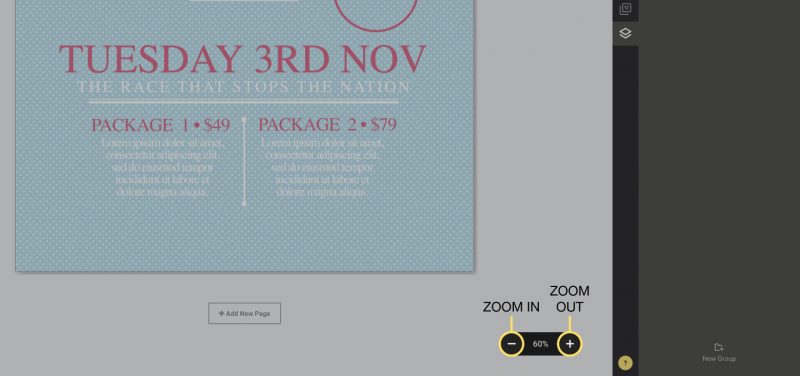
In Easil, you can adjust the display of a design using the zoom controls found towards the bottom-right of the screen.
To zoom in or out of your design:
1. Find the Zoom controls at the bottom of the screen. Click on the (-) button to zoom out.
2. If you wish to zoom in, simply click on the (+) and you will be able to view your design in more detail.
Alternatively you can use these keyboard shortcuts to zoom in or out:
Zoom In:
MAC – Command + Minus (-)
PC – Control + Minus (-)
Zoom Out:
MAC – Command + Plus (+)
PC – Control + Plus (+)