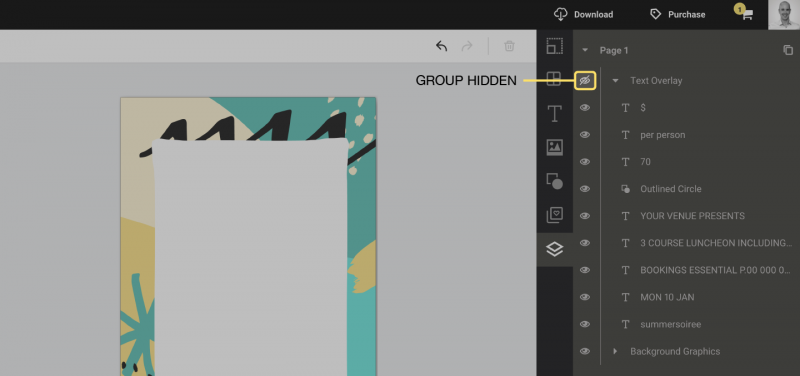
How to toggle layers and groups
How to turn on / off layers and groups in Easil
When working on a design, you may wish to turn off a layer or a group to reveal objects behind it. This is particularly useful if your design is getting more complex and selecting objects on the canvas is getting more difficult.
To hide groups or layers:
1. Open the layers tab (The bottommost tab in the sidebar)
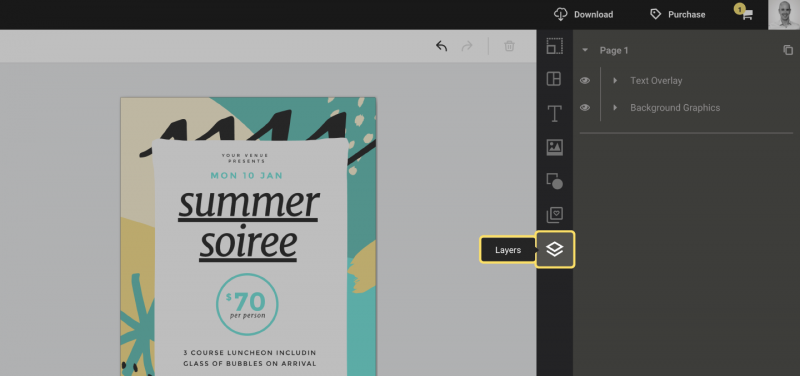
2. Press the “Eye” next to the layer or group to turn the visibility off/on. This enables you to hide or reveal all the elements on the canvas.
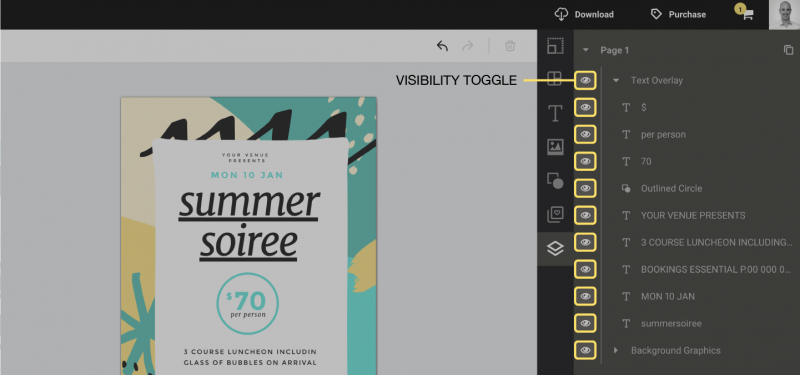
3. Hiding a Group will hide all elements contained in the group.