What images are available in Easil
Images in Easil
Easil supplies you with several different types of images available for use in your designs. To use an image, search for something on the Image tab, then simply click or drag across an image you like. Images are split into two primary categories:
FREE
Assets that are free for you to use. Easil has a wide variety of free images that you can use on your designs. You will notice that hovering over the thumbnail will display “FREE” on the bottom right corner when browsing on the sidebar.
PAID IMAGES
Choose from over 29 million stock images to customise your design. Thanks to integration with stock photo libraries, Easil can offer these premium images for use at an affordable price.
In addition to this, there are two types of images available in Easil:
STANDARD
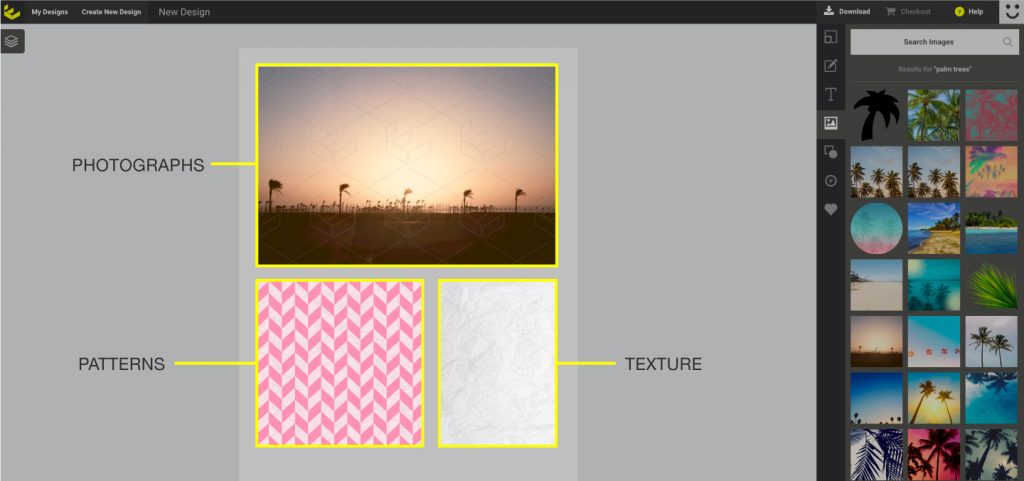
These are the most common images in the Easil library. They are standard, non-transparent images and can include photographs, textures and patterned backgrounds.
CUT-OUT
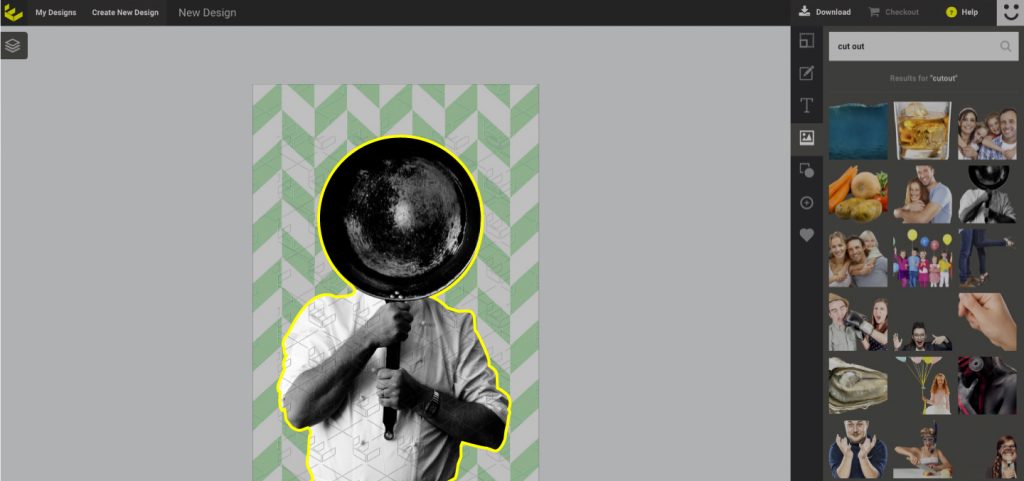
Cut-out images are pictures that have a specific part extracted from the background so that it is isolated. This allows you to place a specific part of the image on top of another background.
Notice how the main figure is showing up against the patterned background in the example below: